
All Images
Overview: ML on AWS
Figure 1
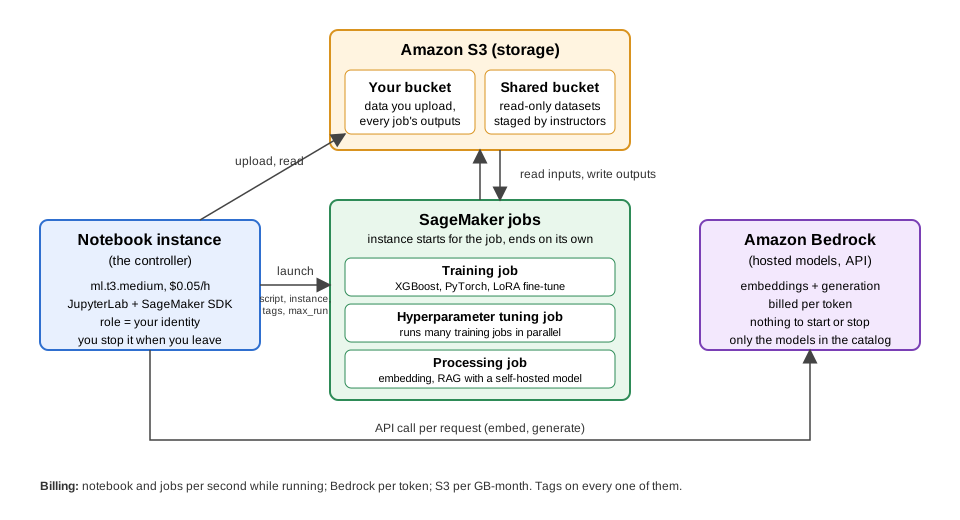
S3 holds data and outputs; a small notebook
instance launches SageMaker jobs that read from and write to S3 and end
on their own; Bedrock is called as an API per token
Data Storage: Setting up S3
Figure 1
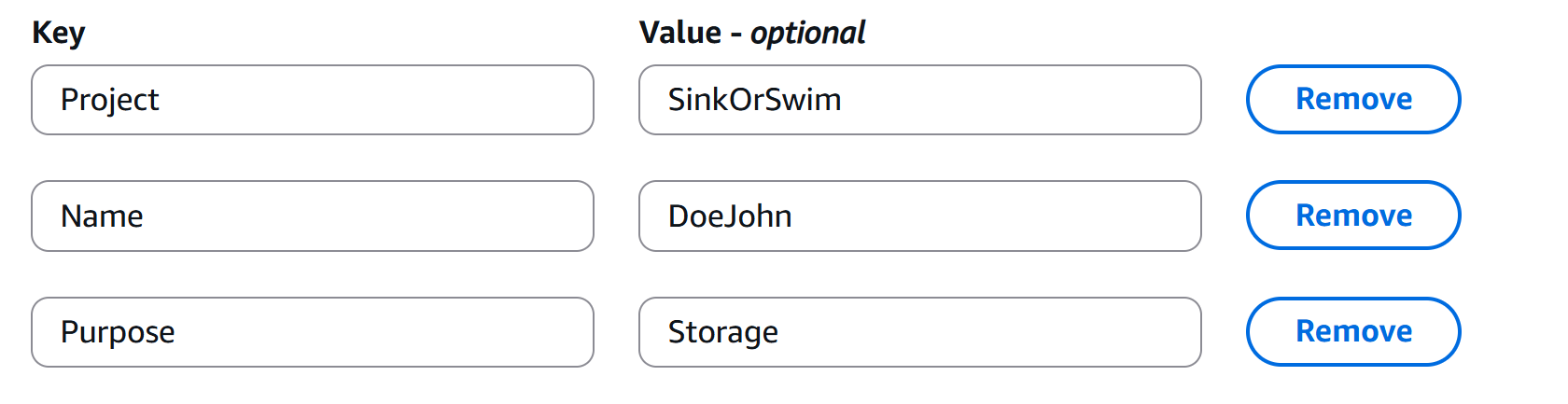
Example of Tags for an S3 Bucket
Notebooks as Controllers
Figure 1
The notebook instance launches SageMaker jobs
that read from and write to S3 and end on their own, and calls Bedrock
as an API
Figure 2
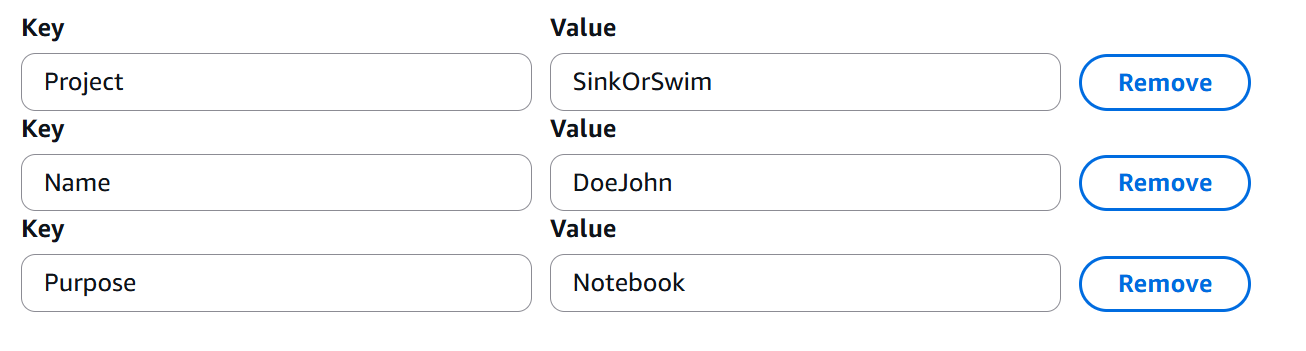
Tag Setup Example
Accessing and Managing Data in S3 with SageMaker Notebooks
(Optional) Pushing Your Notebooks to GitHub from SageMaker
Training Models in SageMaker: Intro
Figure 1
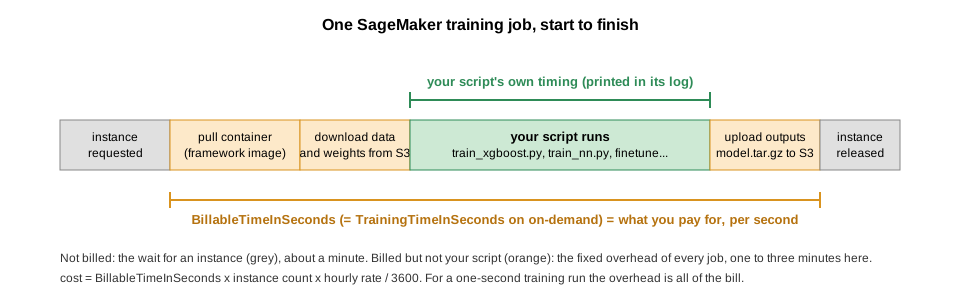
describe_training_job returns
BillableTimeInSeconds: the seconds the instance was yours,
from container pull to model upload, per instance. It also returns
TrainingTimeInSeconds, which on on-demand instances is the
same number (it only differs on spot instances), so do not expect it to
isolate your script. The minute or so before that, while SageMaker finds
an instance, is not billed. SageMaker bills per second, with no
rounding, so cost is billable seconds x instance count x hourly rate.
We’ll wrap this in a small helper and call it after every job in this
lesson.
Training Models in SageMaker: PyTorch Example
Figure 1
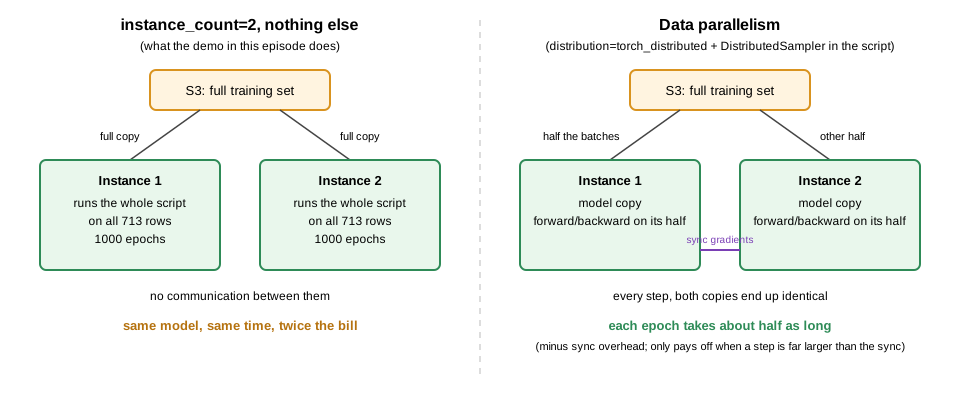
Left: two instances each receive the full
dataset and run the whole script independently, same model and twice the
bill. Right: data parallelism splits the batches across instances and
syncs gradients each step.
Hyperparameter Tuning in SageMaker: Neural Network Example
Fine-tuning a Vision-Language Model with Training Jobs
Figure 1
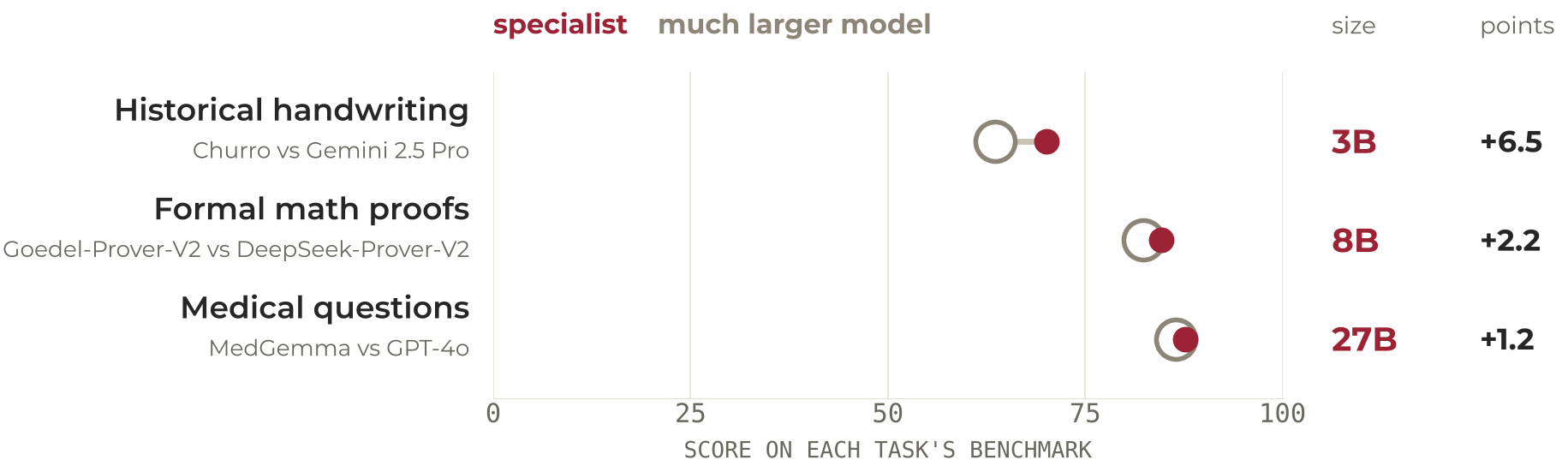
Three research tasks where a small specialist
model scores above a much larger general one: CHURRO (3B) over Gemini
2.5 Pro on historical handwriting, Goedel-Prover-V2 (8B) over
DeepSeek-Prover-V2 on formal proofs, MedGemma (27B) over GPT-4o on
medical questions
Figure 2
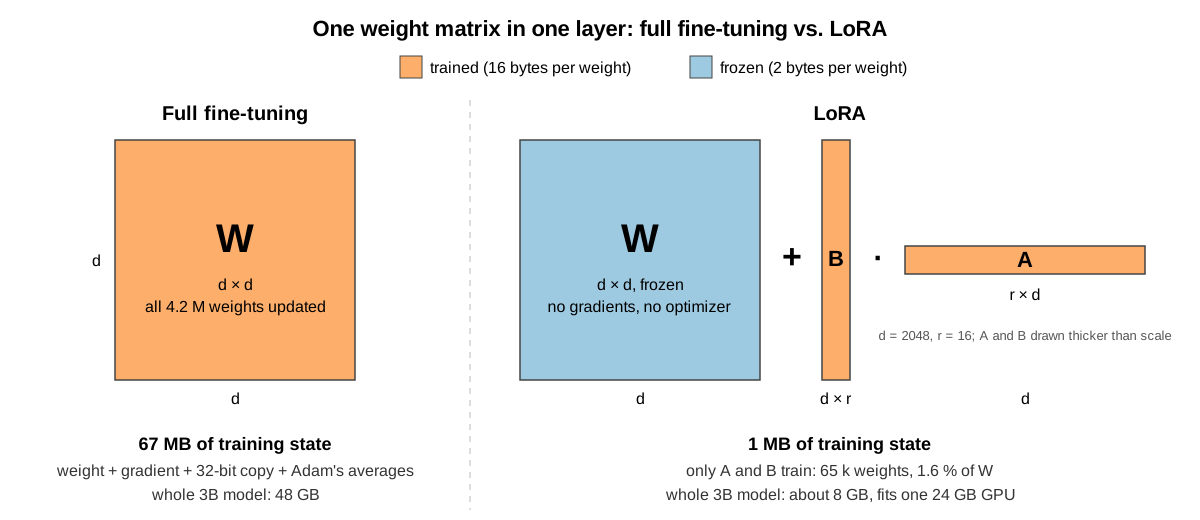
Full fine-tuning updates every entry of a d × d
weight matrix; LoRA freezes it and trains two thin matrices of rank r
whose product is added to its output
Figure 3
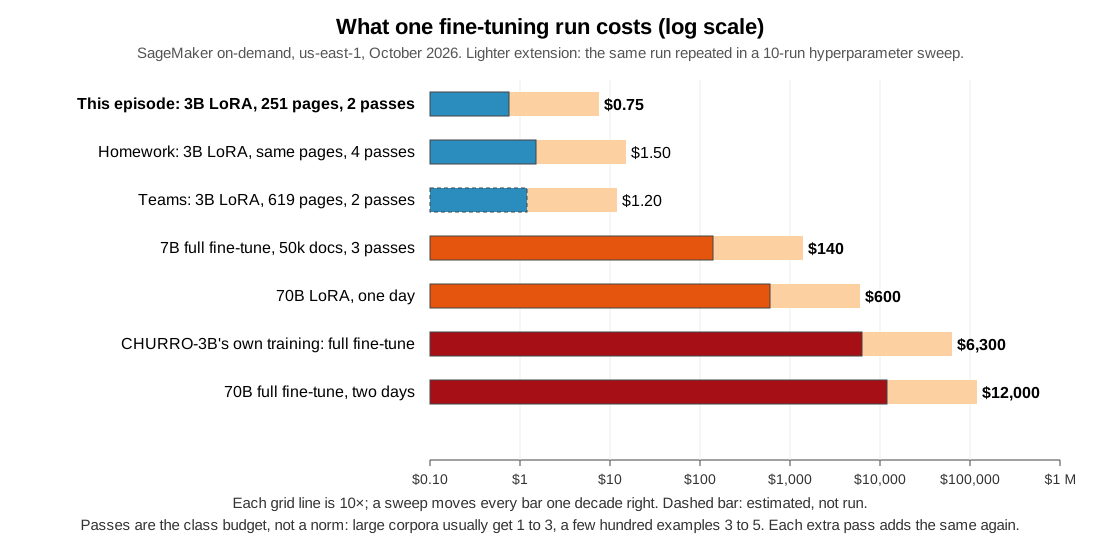
Cost per run on a log scale, from about a dollar
for this episode’s LoRA run to twelve thousand dollars for a 70B full
fine-tune; a ten-run sweep shifts every bar up by one decade
Figure 4
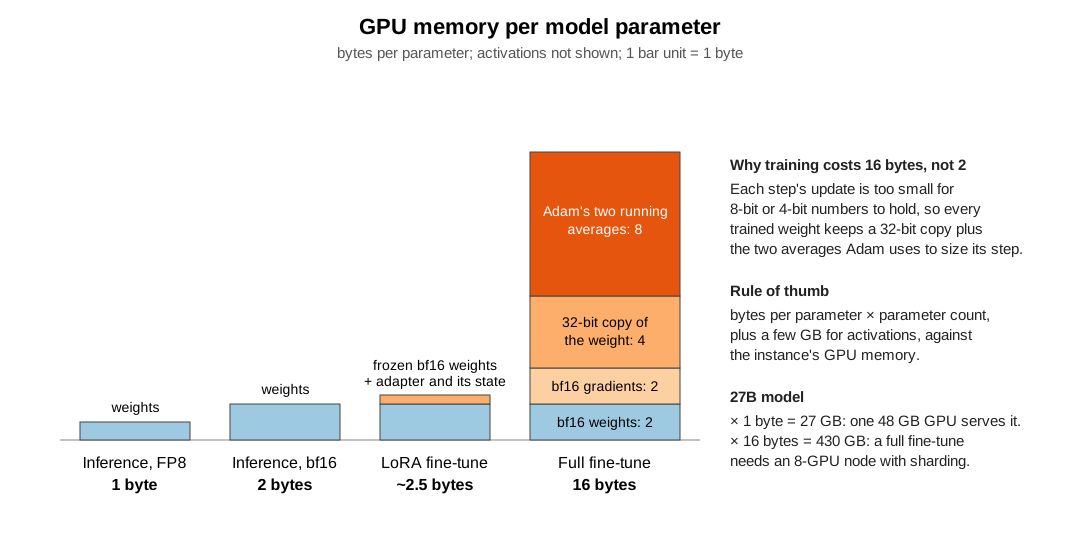
Bars of GPU memory per parameter: 1 byte for FP8
inference, 2 for bf16 inference, about 2.5 for a LoRA fine-tune, 16 for
a full fine-tune made of the weight, its gradient, a 32-bit copy of the
weight and the two averages Adam keeps
Figure 5
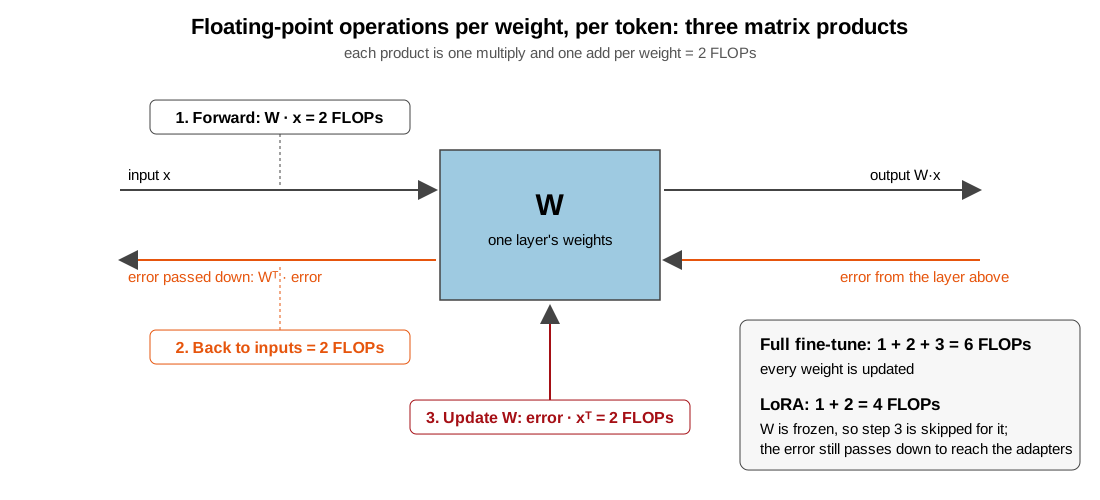
Three matrix products per token: forward (2
FLOPs per weight), error passed back to the inputs (2), and the weight
update (2); full fine-tuning does all three for 6, LoRA skips the update
for 4
Overview of RAG Workflows on AWS
Figure 1
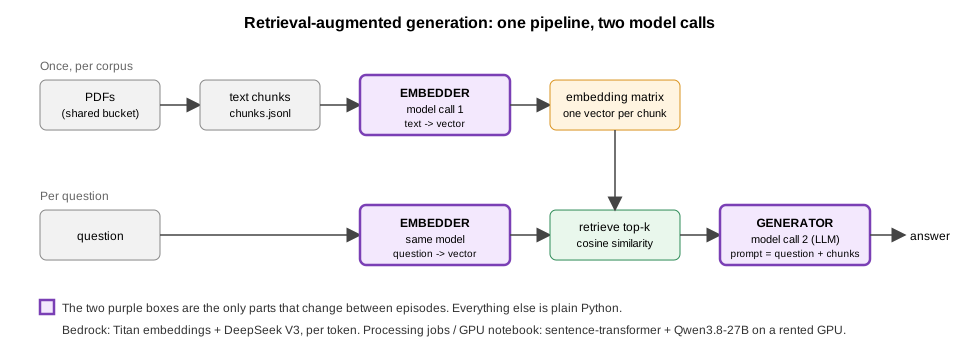
RAG pipeline: PDFs are chunked and embedded
once; per question, the question is embedded, the top-k chunks are
retrieved by cosine similarity, and a generator answers from question
plus chunks. The embedder and generator are the only parts that change
between episodes.
Figure 2
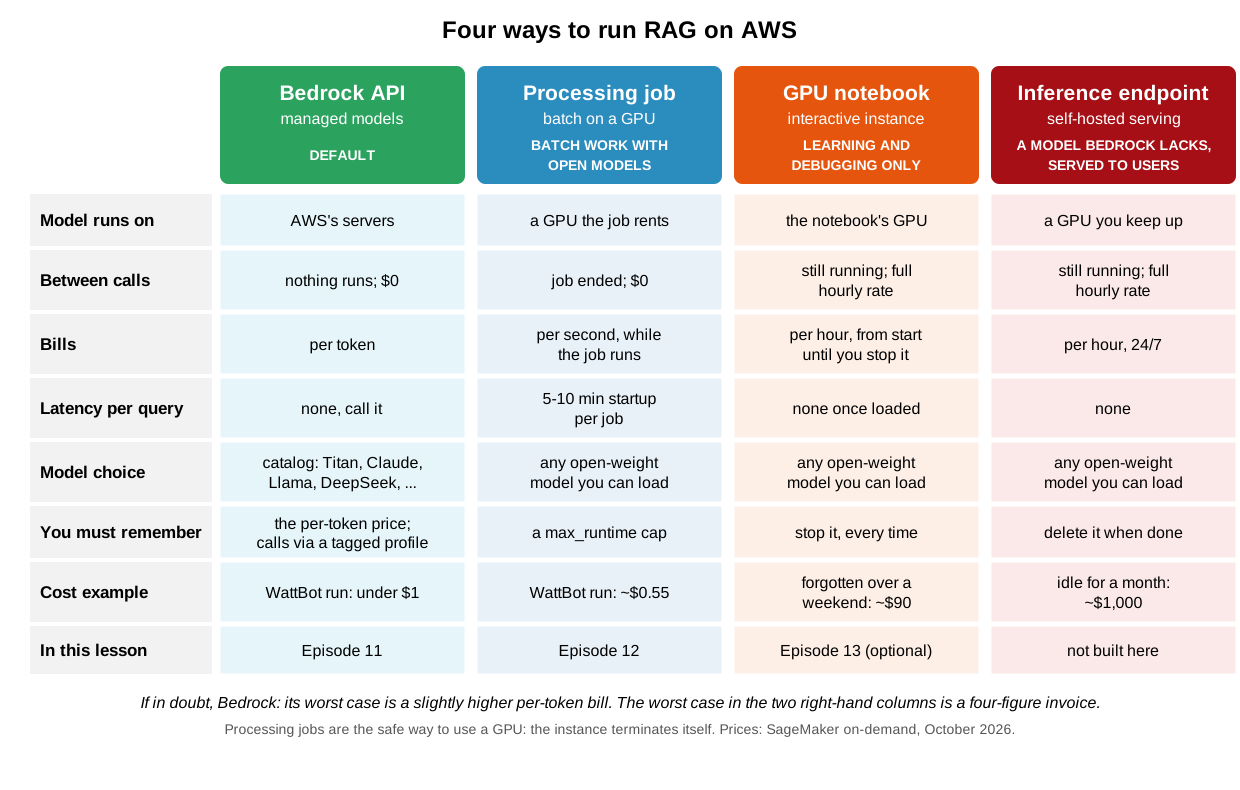
Four columns, Bedrock API, Processing job, GPU
notebook and Inference endpoint, compared on where the model runs, what
runs between calls, billing unit, latency, model choice, what you must
remember, a cost example and which episode covers it; Bedrock is marked
as the default and Processing jobs as the safe way to use a GPU
RAG with Bedrock
RAG with Processing Jobs
Figure 1
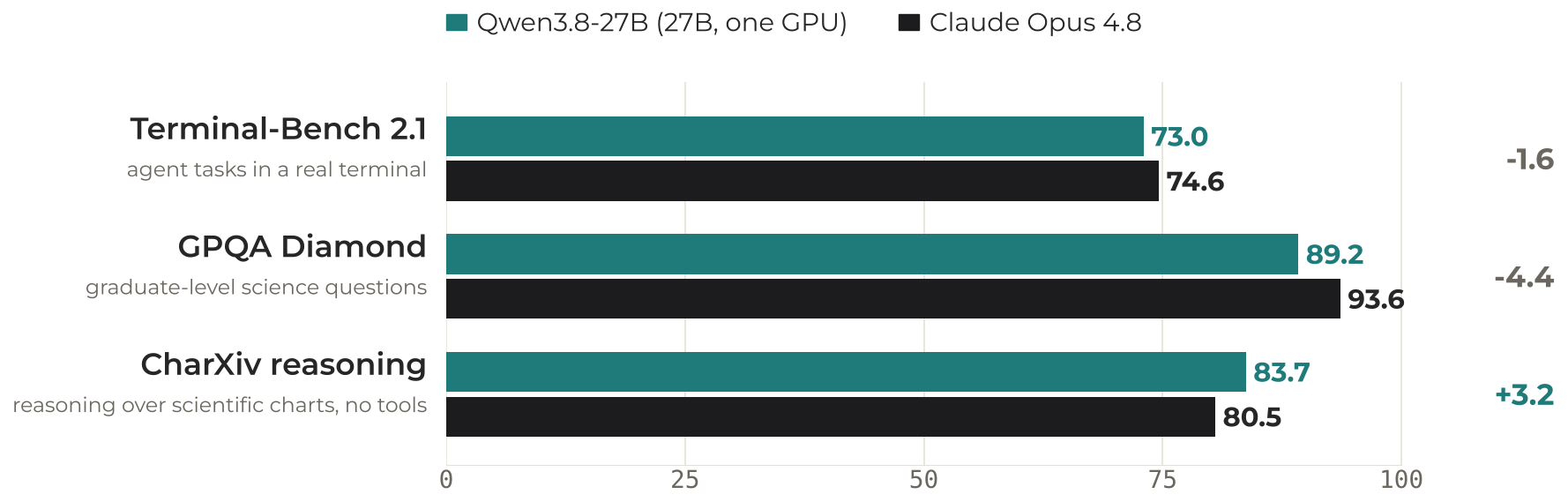
Qwen3.8-27B against Claude Opus 4.8 on three
benchmarks: 73.0 vs 74.6 on Terminal-Bench 2.1, 89.2 vs 93.6 on GPQA
Diamond, 83.7 vs 80.5 on CharXiv reasoning