
Software dependencies
Last updated on 2026-06-09 | Edit this page
Estimated time: 55 minutes
Overview
Questions
- How can we communicate different versions of software dependencies?
Objectives
- Know how to track dependencies of a project
- Set up an environment and make sure others can reproduce your environment
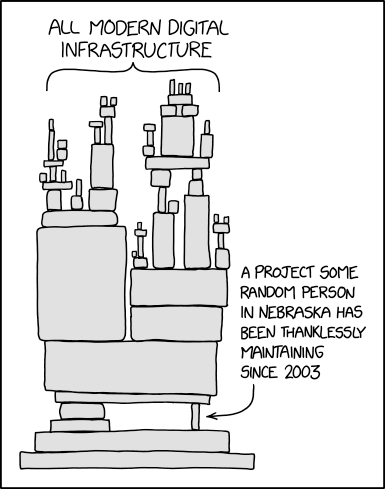
Our codes often depend on other codes that in turn depend on other codes …
- Reproducibility: We can version-control our code with Git but how should we version-control dependencies? How can we capture and communicate dependencies?
- Dependency hell: Different codes on the same environment can have conflicting dependencies.
Kitchen analogy
- Software <-> recipe
- Data <-> ingredients
- Libraries <-> pots/tools


Tools and what problems they try to solve
Conda, Anaconda, pip, virtualenv, Pipenv, pyenv, Poetry, requirements.txt, environment.yml, renv, …, these tools try to solve the following problems:
- Defining a specific set of dependencies, possibly with well defined versions
- Installing those dependencies mostly automatically
- Recording the versions for all dependencies
-
Isolate environments
- On your computer for projects so they can use different software
- Isolate environments on computers with many users (and allow self-installations)
- Using different Python/R versions per project
- Provide tools and services to share packages
Isolated environments are also useful because they help you make sure that you know your dependencies!
If things go wrong, you can delete and re-create - much better than debugging. The more often you re-create your environment, the more reproducible it is.
Dependencies-1: Time-capsule of dependencies
Situation: 3 students (A, B, C) wrote a code that depends on a couple of libraries. They uploaded their projects to GitHub. We now travel 3 years into the future and find their GitHub repositories and try to re-run their code before adapting it.
Answer in the collaborative document:
- Which version do you expect to be easiest to re-run? Why?
- What problems do you anticipate in each solution?
A: If there is no standard file to look for, it might become very difficult for us to create the software environment required to run the software. At least we know some of the libraries. For any missing dependencies, it will be tedious to collect them one by one. And even then you still don’t know which versions were used.
B: Having a standard file listing dependencies is
definitely better than nothing. However, if the versions are not
specified, you or someone else might run into problems with
dependencies, deprecated features, changes in package APIs, etc.
Versions specified as Git branches may not be much better: branches such
as main are still a moving target.
C: In this case exact versions of all dependencies
are specified and one can recreate the software environment required for
the project. One problem with the dependencies that come from GitHub is
that they might have disappeared (what if their authors deleted these
repositories?). Besides that, version numbers give a better idea of
progress compared to arbitrary tags. From a simple list, there is no
clear ordering between two tags with-some-feature or
used-for-this-paper, while version 2.0.0 is
obviously newer than 1.2.3.
(Optional) Further discussions for specifying dependencies
- How would it differ if student A did not specify any dependencies in the README at all? Or if a complete list of dependencies was given?
- What would be the difference between
someuser/someproject@d7b2c7eversussomeuser/someproject@mainbeing listed as a dependency?
- Any dependencies listed in the README are still helpful, so listing none at all when no other information exists would be worse. Specifying a full list is therefore better. However, a README can easily be outdated, so there is no guarantee that this list is up-to-date or complete.
- The
d7b2c7einstead ofmainis a git commit hash, which is at least a consistent point in the history of the code. Installing a specific commit will give the same result, even if the development of the project has continued on themainbranch. The only downside is that a commit hash has no meaning to us as humans looking at it. To clarify the meaning of a particular commit, it would be helpful to make a git tag of it.
Dependencies-2: Create a time-capsule for the future
Now we will demo creating our own time-capsule and share it with the future world. If we asked you now which dependencies your project is using, what would you answer? How would you find out? And how would you communicate this information?
Uploading your requirements.txt or renv files to GitHub
Follow these steps to add the files in which you recorded your dependencies to GitHub:
This episode is based on the Code Refinery Reproducible Research lesson about dependencies.
- Recording dependencies with versions can make it easier for the next person to execute your code
- There are many tools to record dependencies